The right call depends on the furniture’s age, the new floor plan, and whether the manufacturer’s parts are still available, not on which option sounds easiest. CG Moving Company holds CSLB C61/D34 certification for modular furniture installation, so we get asked this question on nearly every office relocation we handle. Before you decide, it helps to see how planning an office move without losing a workday fits around the furniture timeline, since reconfiguration work often needs its own separate day.
When does it make sense to simply reconfigure existing furniture?
When the panels and parts are compatible with your new layout.
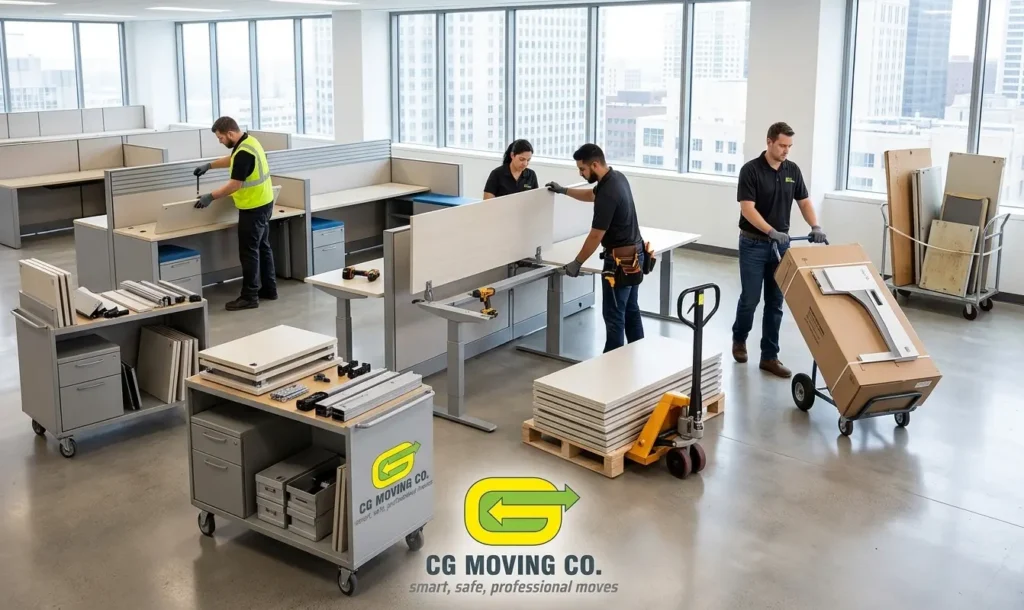
Reconfiguring means taking your existing modular system, the panels, connectors, and power infrastructure, and rebuilding it into a new arrangement. This works best when the new floor plan uses a similar footprint per workstation and the system is from a manufacturer whose parts are still in production.
Reconfiguration makes sense when:
- The panels, connectors, and power poles are in good condition
- You are changing the layout but not the number of workstations by much
- The new space has similar ceiling heights and electrical access points
It is the most cost-efficient path when the hardware itself has life left in it.
When should you reinstall the same furniture as-is?
When the layout barely changes and the system still fits the space.
Reinstalling is different from reconfiguring. It means disassembling the furniture, moving it, and rebuilding it in roughly the same configuration it had before, just in a new building. This is the simplest and fastest of the three options, and it is common when a company is moving to a comparable space without changing headcount or team structure.
The main thing to verify before choosing reinstallation is whether the new space’s electrical and data drops land in the same places the old furniture expects them. If they do not, you are better off reconfiguring instead.
When does it make more sense to replace the furniture?
When parts are discontinued or the layout changes substantially.
Replacement comes up most often with older systems, typically more than 12 to 15 years old, where the manufacturer has discontinued parts. If a few panels get damaged in a move and you cannot source matching replacements, you end up with a mismatched system that looks patched together.
Replacement also makes sense when the move coincides with a real change in how the company works, such as shifting from assigned desks to a hybrid or hot-desking model. Trying to force an old system into a layout it was not designed for usually costs more in labor than starting fresh.
Who should handle the disassembly and reinstallation?
A crew licensed for modular furniture installation, not general labor.
Modular systems have wiring harnesses, leveling feet, and panel connectors that are easy to damage if you rush the teardown. We send crews that hold CSLB C61/D34 licensing specifically for this work, because a mishandled teardown turns a one-day reconfiguration into a multi-day repair job.
If your building has a tight move-in window, ask any mover for proof of modular furniture licensing before you sign a contract. At CG Moving Company, that credential travels with every crew we send out, not just the ones assigned to furniture work.
Factor | Reconfigure | Reinstall | Replace |
|---|---|---|---|
Best for | New layout, same system | Same layout, new building | Discontinued parts or new work model |
Furniture age | Any, if parts available | Any | Typically 12+ years |
Labor involved | Disassembly, rebuild in new layout | Disassembly, rebuild in same layout | Removal plus new installation |
Typical timeline | Moderate | Fastest | Longest |
Reconfigure when the system still fits, reinstall when the layout is not changing, and replace when the parts are gone or the work model has shifted. If you are not sure which bucket your furniture falls into, our commercial moving team can assess it during a site walkthrough. Request a walkthrough before you commit to a plan, and we will tell you honestly which of the three options fits.
Frequently Asked Questions
Can a Single Project Mix Reconfiguration and Replacement, Rather Than Choosing One Option?
Yes, mixing approaches within the same project is common, especially when some panels or workstations are in good shape and others aren’t. We often reconfigure the sections with usable parts and replace only the panels or workstations that are damaged or discontinued, rather than treating the whole system as one all-or-nothing decision.
What Happens to Furniture That Isn't Reused After a Reconfiguration or Replacement?
Furniture that isn’t going back into service can be disposed of or donated, depending on its condition and your preference, and we coordinate that as part of the project rather than leaving it behind for your facilities team to handle separately. Let us know ahead of time whether you’d like us to arrange removal, since that affects scheduling for the crew on-site.
Does Moving a Modular System Into a Different Building Ever Cause Compatibility Problems?
Occasionally, mainly around electrical and data drop locations, since a different building’s infrastructure doesn’t always land in the same spots the old furniture expects. This is exactly why we check electrical and data access points as part of deciding between reinstalling as-is and reconfiguring, since a mismatch there is the main thing that turns a simple reinstall into a bigger job.
How Long Does a Typical Modular Furniture Reconfiguration Project Actually Take?
Timeline depends heavily on the number of workstations and how much of the existing system is reusable, but a straightforward reconfiguration of a single floor’s worth of workstations is usually the fastest of the three options we offer. A full replacement takes the longest, since it adds new furniture installation on top of removing the old system. We give you a specific timeline during the site walkthrough once we know your actual scope.
Ask us for a site walkthrough and we’ll tell you honestly how long your specific project is likely to take.