The most common failure points in a data center relocation are power sequencing mistakes, asset tracking gaps, and underestimating how long reconnection actually takes, not the physical transport itself. CG Moving Company works through these risks on every data center and server room move we handle, because the physical move is usually the easiest part of the project. For the broader IT side of an office relocation, our IT equipment moving checklist covers server rooms of any size, not just full data centers
What goes wrong with power sequencing during a data center move?
Equipment powered down or up in the wrong order, risking data corruption.
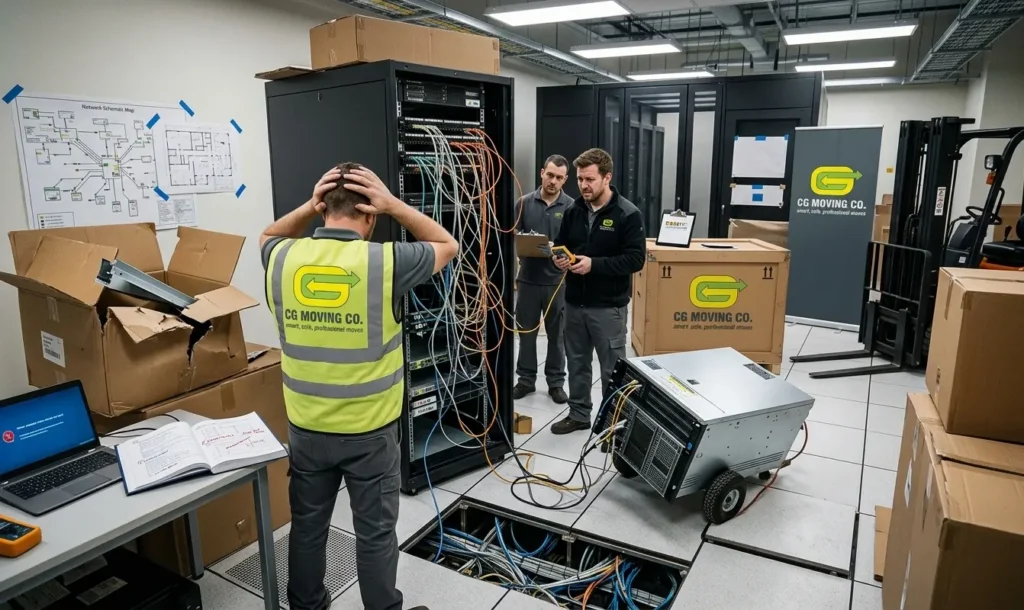
Data center equipment has dependencies that are not always obvious from the outside. Storage arrays, database servers, and the applications that depend on them need to shut down and restart in a specific order, and skipping that sequence risks data corruption or a much longer recovery process than the move itself would have taken.
We ask for the internal IT team’s documented shutdown and startup sequence before move day, and build our timeline around that sequence rather than asking IT to work around ours.
How does asset tracking fail during a relocation?
Equipment gets unlabeled, miscounted, or separated from its cables.
Even a well-planned data center move can lose track of equipment if labeling and inventory are not treated as seriously as the physical handling. A server pulled from a rack without a clear label, or cables bagged separately from the unit they belong to, turns reconnection into a guessing game later.
The fix is straightforward but easy to skip under time pressure: photograph every rack before disconnection, label each unit with its destination rack and slot, and keep an inventory sheet that travels with the equipment rather than existing only on a laptop back at the office. CG Moving Company treats this documentation step as mandatory, not optional, on every data center project.
Why does reconnection take longer than expected?
Teams underestimate cabling, testing, and troubleshooting time.
The physical move of racks and servers is often faster than people expect. Reconnection is where timelines slip, because every cable has to go back to the right port, every system has to come up in sequence, and testing takes real time if you want to catch problems before end users do.
Building in extra time for reconnection and testing, rather than assuming it will take as long as disconnection did, is one of the simplest ways to protect a data center move’s schedule.
What should facilities and IT teams coordinate before move day?
A shared shutdown, transport, and startup timeline, agreed on in advance.
The biggest risk in a data center relocation is not any single technical mistake, it is facilities and IT working from two different mental timelines. A shared, written schedule covering shutdown, transport, setup, and testing, agreed to by both teams before move day, closes that gap.
We build that shared timeline with the client’s IT team directly, rather than handing over a generic moving schedule and asking them to fit around it.
Data center moves go wrong in predictable ways: rushed power sequencing, loose asset tracking, and underestimated reconnection time. Our commercial moving team plans around all three from the start. Reach out with your rack count and timeline, and we will start the planning conversation there.
Frequently Asked Questions
Do you require the client's IT team to be on site during the actual physical move, or just available by phone?
We ask for IT to be on site for the disconnection and reconnection phases specifically, since that’s when questions about sequencing or cabling tend to come up, but they don’t need to watch the physical transport itself. Being reachable by phone during transport is usually enough.
What happens if equipment needs to be tested before it's accepted as successfully delivered?
We build a testing window into the schedule as part of the reconnection phase, and equipment isn’t considered complete until that testing confirms everything is functioning, not just physically in place. This is part of why we push back on timelines that treat reconnection as an afterthought.
Can a data center move happen in phases rather than as one single cutover?
Yes, a phased approach, moving non-critical systems first and critical production systems in a later, separate window, is common for larger environments that can’t tolerate full downtime at once. We plan the sequencing with the IT team based on which systems can tolerate a longer outage window.
Who is responsible for re-labeling network ports and cable runs at the new location?
We label and photograph everything at disconnection so each unit’s destination rack and slot is documented, but final port and cable-run labeling at the new facility is typically a collaborative step between our crew and the client’s IT team during reconnection. We build that coordination into the shared timeline rather than assuming it happens automatically.
Planning a data center or server room move? Send us your rack count and timeline and we’ll start building the shared plan with your IT team.